Background
HMRC recently updated the way the Advisory Fuel Rates (AFR) for electric vehicles can be calculated, moving from a single rate to a dual rate. This change is reflecting the very different costs of charging a vehicle at home and at a public charger.
As most EV drivers using their cars for business will be charging at public chargers, P11D Organiser defaults to using the higher AFR rate (currently 15p per mile) when you enter company car mileage into Section E.
Should you specifically want to reflect the lower rate when calculating your employee’s mileage payments, then the cash equivalent will need to be calculated outside P11D Organiser and entered as a non-Class 1A benefit in Section M.
Calculation
You only need to enter data onto a P11D if you are paying employees above the lower Advisory Fuel Rate (currently 7p per mile) for home charging, if you pay that rate (or less) there is nothing to report on an employee's P11D (see later note).
If you do pay a higher rate, and you want to apply the home charging AFR, you will need to calculate the taxable benefit by taking the number of miles the employee has undertaken, the amount above the AFR you pay, and multiply accordingly. For example, an employee has completed 6,350 miles and you have paid them 12p a mile. You would take the amount above 7p that you paid (5p) and multiply that by 6,350 to calculate the taxable benefit - £317.50.
Data Entry
You would then add a Section M benefit into P11D Organiser, ensuring it is marked as non-Class 1A, as mileage does not attract employer’s national insurance.
- Find the employee in question > add a benefit > choose Section M.
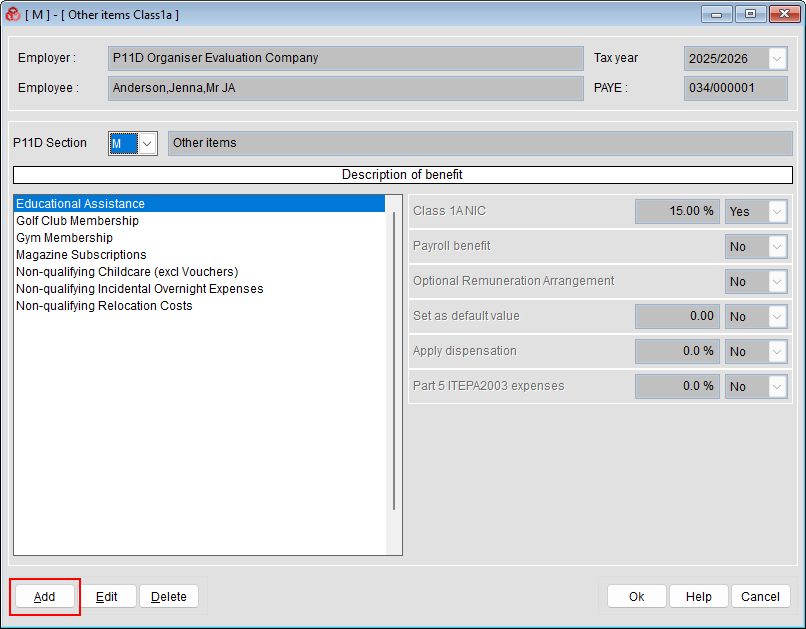
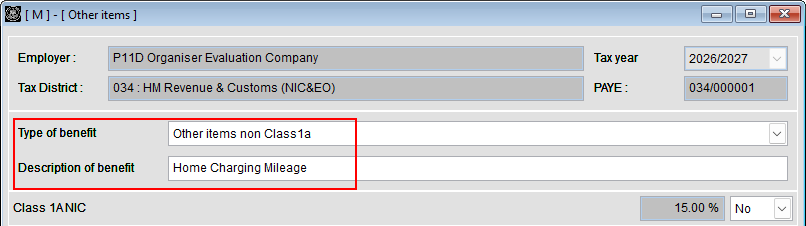
- If you have already set up Home Charging Mileage as a description, select that, if not, click the Add button in the lower left corner, select Other items non Class1a from the drop down, and add a description like 'Home Charging Mileage'.
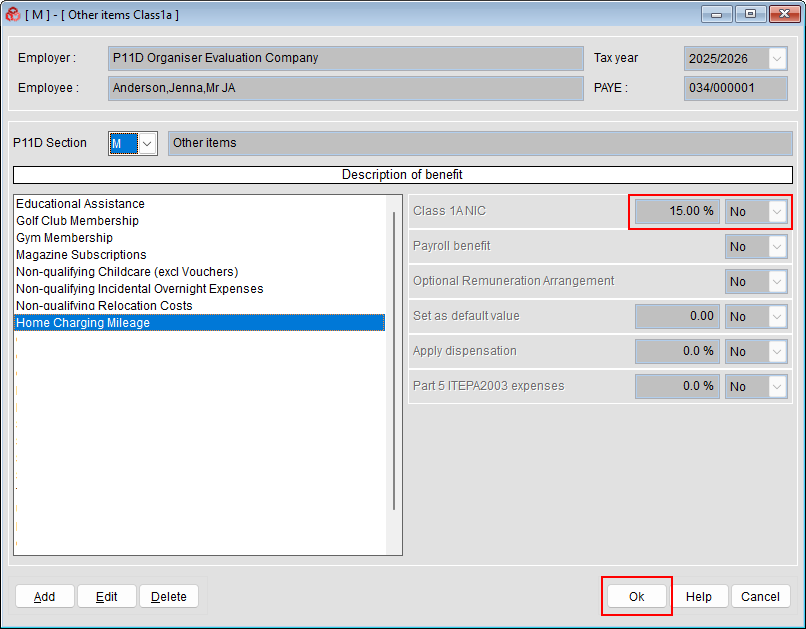
- Click OK in the lower right corner.
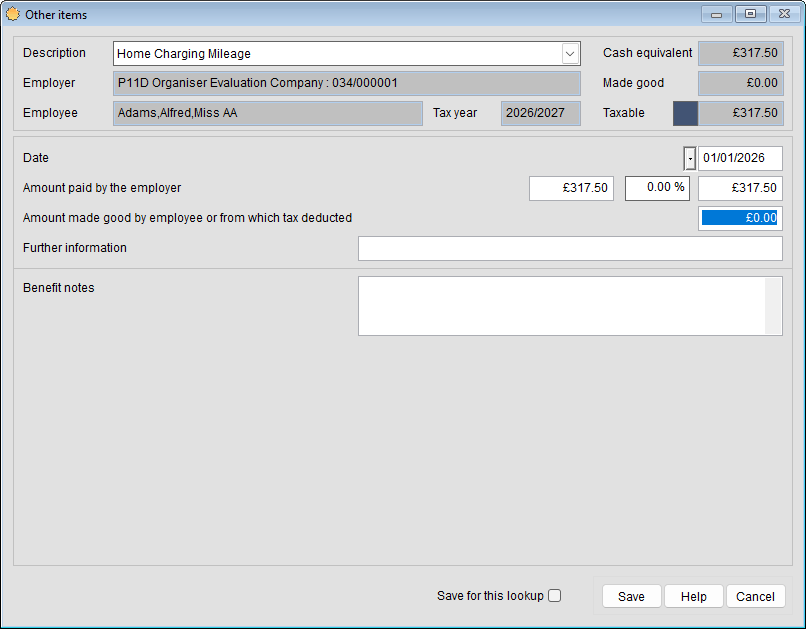
- Enter the calculated mileage figure and click Save to add the benefit to the employee.
Note
If you are paying less than the HMRC approved rates, the employee can claim tax relief on the underpayment using HMRC form P87 – this needs to be completed by the employee themself, not the employer.
Was this article helpful?
That’s Great!
Thank you for your feedback
Sorry! We couldn't be helpful
Thank you for your feedback
Feedback sent
We appreciate your effort and will try to fix the article