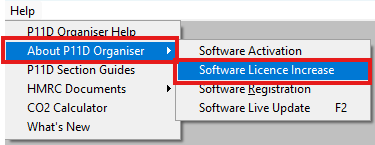
To increase the amount of licences please navigate to: 'Help' > 'About P11D Organiser > 'Software Licence Increase'
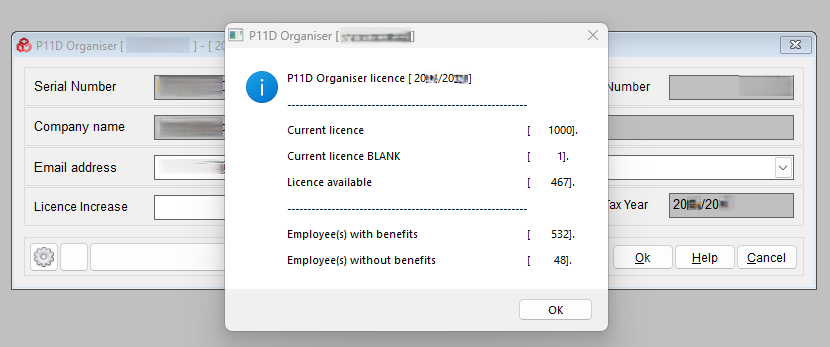
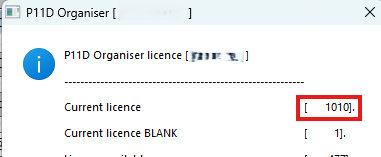
The system will display how many licences you currently have, the amount available and it also shows the number of employees with benefits and without benefits. Click OK to procced.
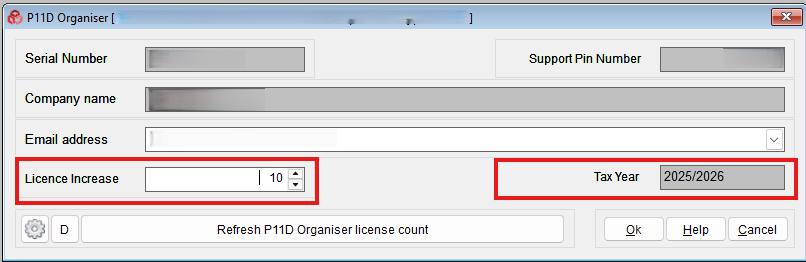
Please ensure that you are logged into the correct Tax Year that you want to increase your licence for. In the Licence Increase, enter the number amount of licences required - this can be requested in batches of 10 P11Ds. Click OK to procced.
You will receive a message confirming if you want to proceed with the request. The quote will be sent to the email address provided.
Once you have processed the quote, the next time you log back into the software, the updated licence numbers will be available to you.
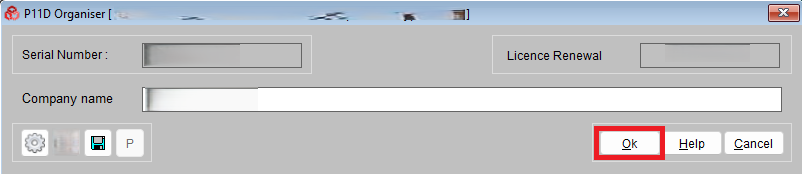
If the licence increase is not reflected in the software numbers please navigate to: 'Help' > 'About P11D Organiser' > 'Software Activation'
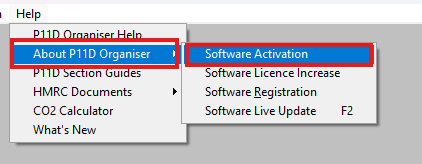
Click 'OK' to reactivate.
You can see the updated licence numbers in the Software Licence Increase page.
Was this article helpful?
That’s Great!
Thank you for your feedback
Sorry! We couldn't be helpful
Thank you for your feedback
Feedback sent
We appreciate your effort and will try to fix the article